GSPro is the course software most simulator owners end up on, and it is the most demanding thing your PC will run. GSPro publishes its own hardware requirements, but “minimum” and “what you should actually buy” are two different lists. Here are both, in plain language, and how they map to the computers we sell.
GSPro’s official requirements
These are the numbers GSPro publishes on its own site (Windows 10 or 11 in every case):
| GSPro tier | Graphics card | Memory | Free storage |
|---|---|---|---|
| Recommended minimum for 1080p | RTX 3060 | 16 GB | 10 GB |
| Great 1080p experience | RTX 3070 / 3060 Ti | 16 GB | 20 GB |
| Great 4K experience | RTX 3080 or better | 32 GB | 20 GB |
Two things stand out. GSPro does not list a processor, because the graphics card is what decides frame rate in a Unity-based game like this. And GSPro requires a stable internet connection at all times, plus an Ethernet port or Bluetooth depending on how your launch monitor connects.
What “minimum” actually feels like
An RTX 3060 with 16 GB will run GSPro at 1080p. It will not run it well on a busy course with weather effects, long shadows and detailed foliage turned up, and you will notice it exactly when it matters: a brief stutter as the ball launches and the camera starts to follow. Turning settings down fixes the stutter and makes the course look flat. Minimum spec is a way to get started with hardware you already own, not a shopping target.
The rule we use: the graphics card should be one tier above what GSPro calls “great” for the resolution you play at. Cards age, GSPro keeps adding detail, and the extra headroom is what keeps the ball flight smooth two years from now.
What you should actually get
The 30-series cards in GSPro’s list are two generations old now, so here is the same table translated into what you would buy today. Card names change every year; the performance tier is what matters.
| If you play at… | GSPro says | We recommend |
|---|---|---|
| 1080p, casual use | RTX 3060, 16 GB | A current mid-range RTX card (RTX 4060 / 5060 class), 16 GB, 1 TB SSD |
| 1080p, you play a lot | RTX 3070, 16 GB | A current upper-mid card (RTX 4060 Ti / 5060 Ti class), 16 to 32 GB, 1 TB SSD |
| 1440p or 4K | RTX 3080 or better, 32 GB | A current high-end card with 12 GB+ of video memory (RTX 4070 Super / 5070 class or better), 32 GB, 2 TB SSD |
| 4K, commercial bay or multi-sport | RTX 3080 or better, 32 GB | The same card or one tier up, 32 GB, 2 TB SSD, liquid cooling for all-day sessions |
Graphics card
Buy the best card the budget allows and make sure it has enough video memory: 8 GB is fine at 1080p, 12 GB or more is what you want at 4K, where course textures and the long draw distance eat memory. Stick with NVIDIA. GSPro runs on AMD cards, but NVIDIA is what the community tests against and what launch monitor vendors support first.
Processor
GSPro does not list one, so use common sense: a current six-core Intel Core i5 or AMD Ryzen 5 is the floor, an eight-core i7 or Ryzen 7 is the comfortable choice, and AMD’s X3D gaming chips are the pick if you want the smoothest frame pacing at 4K. Do not pair a top-tier graphics card with a bargain processor; the card will sit waiting for it.
Memory
16 GB is enough for 1080p. Get 32 GB for 4K, or for any bay where the simulator PC also runs a browser, a control touchscreen, streaming or a second launch monitor app in the background.
Storage
GSPro’s 10 to 20 GB is the install and a handful of courses. Courses are roughly a gigabyte each and there are thousands of them, so people who collect courses fill drives fast. A 1 TB SSD is the sensible minimum; 2 TB if you also game or keep swing video.
Connections
- Internet: GSPro checks your licence and downloads courses online, so a wired Ethernet connection to the PC is the reliable option. Wi-Fi works but is the first thing to blame when a round drops.
- Launch monitor: most camera units connect by USB 3 or Ethernet; some radar units use Bluetooth. Check your unit and make sure the PC has the ports on the motherboard, not through a hub.
- Displays: one output for the projector and one for a control touchscreen. Confirm the card has at least two of HDMI or DisplayPort, and use HDMI 2.1 for 4K at 120 Hz.
How this maps to our computers
We keep our simulator computers to three tiers so you do not have to decode part numbers, and we test every one with GSPro before it ships:
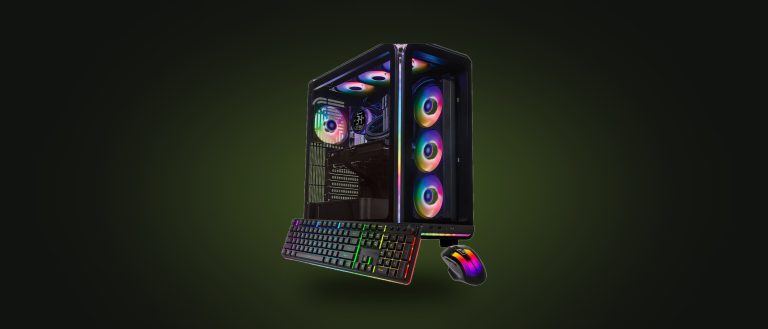
- HD Gaming & Simulator Computer: meets GSPro’s “great 1080p” spec. The right choice for a 1080p projector.
- 4K Gaming & Simulator Computer: runs GSPro at 4K with settings tuned, and is excellent at 1440p and 1080p on high. The best value if you have or plan a 4K projector.
- High-End Simulator Computer: meets or exceeds GSPro’s “great 4K” spec with a flagship processor, extra video memory and liquid cooling. For 4K on high settings, commercial bays and multi-sport.
Settings that make a mid-range PC feel high-end
- Set GSPro’s resolution to match the projector exactly. Rendering 4K for a 1080p projector wastes half your frame rate for no visible gain.
- Start on the High preset. If ball flight stutters, drop shadows and foliage density first; they cost the most and show the least.
- Turn off Windows Game Bar, background updates during play hours and any overlay software.
- Keep the NVIDIA driver current and set the PC’s power plan to High performance.
- Close the browser and any launch monitor dashboards you are not using during a round.
The short version
Minimum gets GSPro running. What you should get is one graphics tier above GSPro’s “great” spec for your projector’s resolution, 16 GB for 1080p or 32 GB for 4K, and a 1 to 2 TB SSD. Read our general simulator PC guide for ports, placement and laptop notes, or tell us your launch monitor and projector and we will match the tier. Advice is free when you buy through Swing Depot.
Requirements quoted from GSPro’s published system requirements. GSPro updates them from time to time; check gsprogolf.com for the current list.