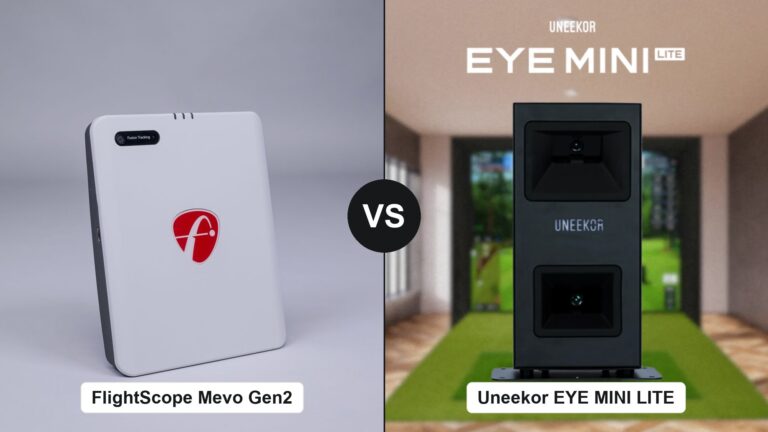
The FlightScope Mevo Gen2 is the launch monitor we point most people to when they ask, “What should I start with?” It costs less than most of what we sell, it never charges you a yearly fee, it plays real simulator courses on the day it arrives, and it is just as happy on the driving range as it is in a garage bay. Here is what it does well, where it has limits, and why the two optional upgrades are worth a serious look.
The short verdict
- No subscription. You pay once. All core data, firmware updates and software fixes are free for the life of the unit.
- Eight E6 Connect courses included, yours to keep, with more available to buy whenever you want them.
- Runs on what you already own: an iPhone, iPad, Android phone or tablet, or a Windows PC.
- Sits behind you, so right- and left-handed golfers hit from the same spot without moving anything.
- Indoors and out. A great first simulator launch monitor that keeps earning its place at the range after you upgrade.
- Two one-time upgrades, the Pro Package and Face Impact Location, turn it from a ball tracker into a real practice tool.
Pay once, play forever
This is the Mevo Gen2’s biggest selling point, and it is not a small one. A lot of launch monitors at this price unlock their data, their courses or their simulator connection through an annual membership. Over four or five years those fees can add up to more than the hardware cost.
The Mevo Gen2 does not work that way. FlightScope states plainly that all core data parameters, firmware updates and software fixes are free, with no subscription required. The FS Golf app is free. The eight E6 Connect courses that come with it are yours to keep, not a trial:
- Kiawah Island Ocean Course (South Carolina)
- Torrey Pines South (California)
- Kapalua Plantation Course (Hawaii)
- Valderrama (Spain)
- Sea Island Seaside Course (Georgia)
- Pelican Hill (California)
- Chateau Whistler (British Columbia)
- Latrobe Country Club (Pennsylvania)
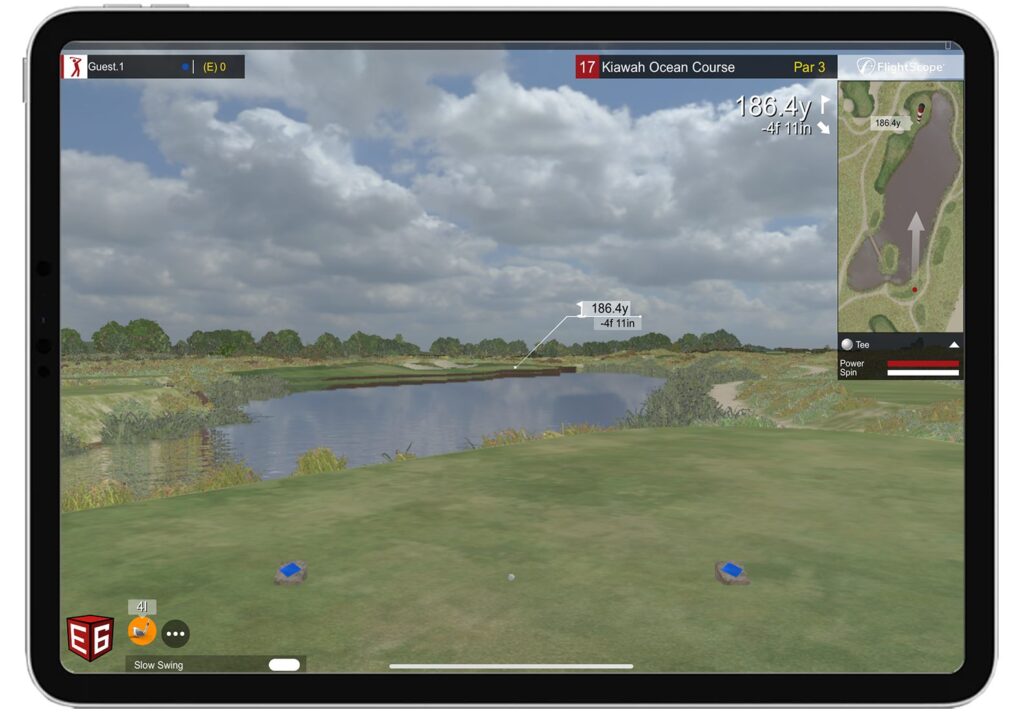
When you want more variety, you can buy additional E6 Connect course bundles as one-time purchases. The Mevo Gen2 also works with Awesome Golf (PC and iOS) and GSPro (PC). Those are separate programs with their own pricing, and you only need them if you want them.
Measured data, not guesses
The Mevo Gen2 uses FlightScope’s patented Fusion Tracking, which combines Doppler radar with high-speed image processing. That is the same approach FlightScope uses in its tour units, scaled down. The point is that ball and club numbers are measured, not calculated from a couple of readings and a model. FlightScope cites independent testing by Carl’s Place and GolfBusters that put it within about 1% of a Foresight GCQuad and a Trackman 4.
Out of the box you get 20 parameters:
- Full swing and chipping: carry, roll and total distance, ball speed, club speed, smash factor, vertical and horizontal launch angle, spin rate, spin axis, apex height, flight time, lateral landing, angle of attack, spin loft, shot type and shot dispersion.
- Putting: launch speed, total distance and ball direction.
That is everything you need to dial in your distances, see your dispersion and play a believable round of simulator golf.
It sits behind you: good news for lefties and families
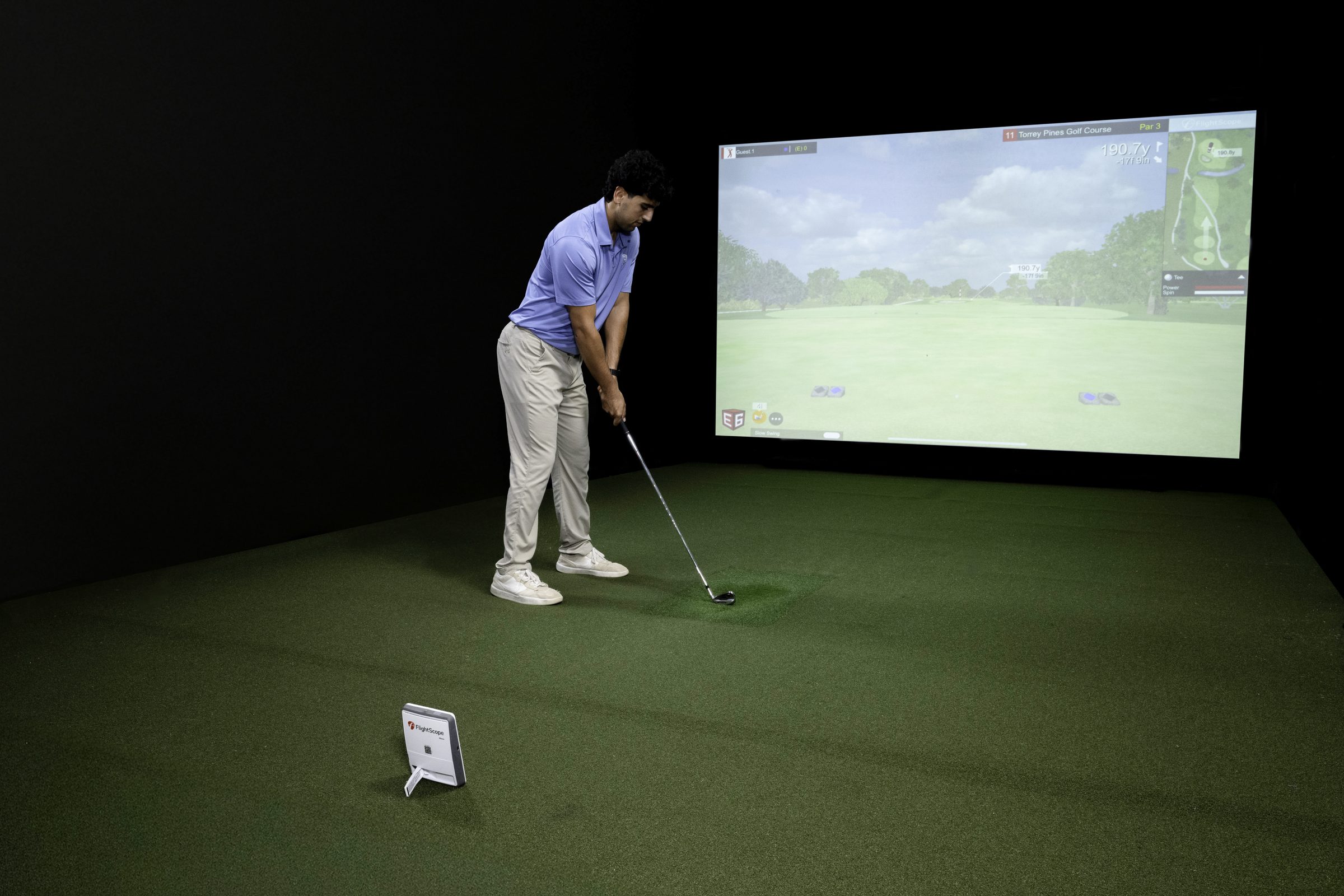
Many entry-level launch monitors sit beside the ball, facing the golfer. That works until a left-handed player steps in and the unit has to be picked up, moved to the other side and re-aimed. The Mevo Gen2 sits behind the hitting area and looks down the target line, so right- and left-handed golfers hit from exactly the same spot. In a family simulator, or a garage where lefties and righties both play, that means nobody touches the launch monitor all night.
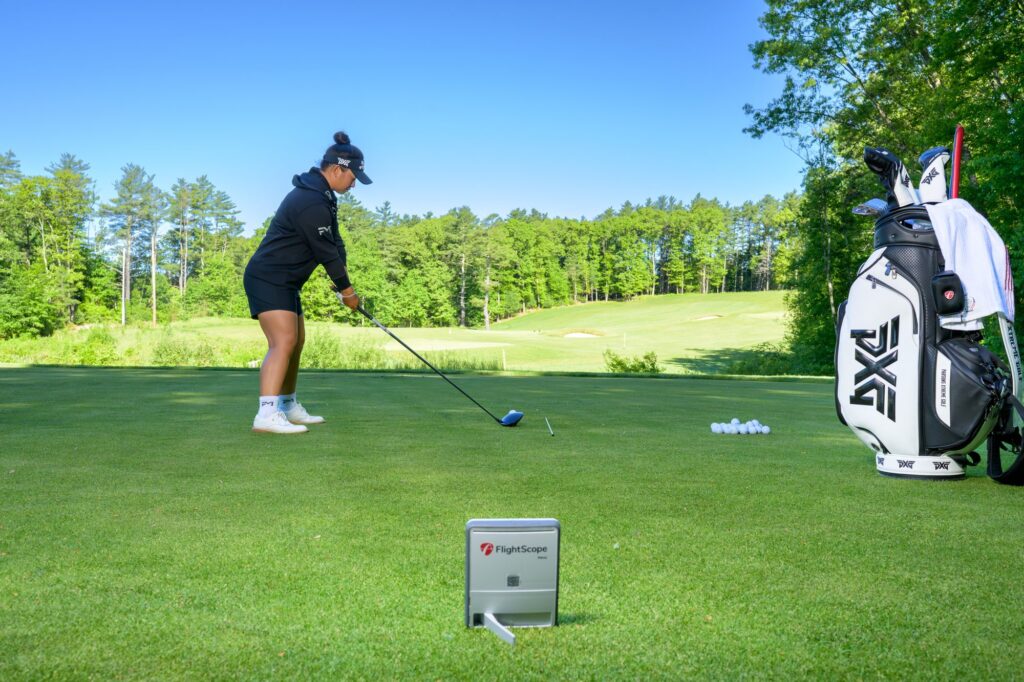
FlightScope’s indoor guideline is 8 feet from the unit to the tee, plus 8 feet of ball flight to the screen or net. Plan on roughly 16 feet from the unit to the screen, with a little room behind the unit. If you are working out whether your room fits, our guide to how much space you need for a golf simulator walks through width and ceiling height too.
One practical note for indoor use: FlightScope says aluminum stickers or Titleist RCT balls are required for accurate spin measurements. A pack of 100 stickers comes in the box. It takes two seconds to put one on the ball, and it makes indoor spin numbers trustworthy.
Connects to your phone, tablet or computer
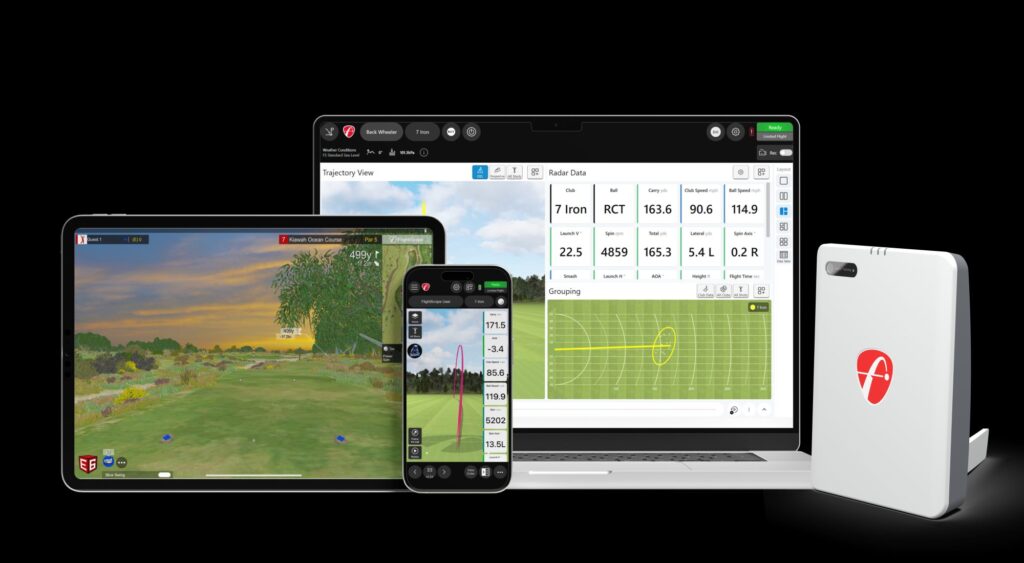
The Mevo Gen2 creates its own Wi-Fi network, so it does not need internet access or a router. You can use it in a backyard, a barn or a range bay with no signal. Pair it with the free FS Golf app on iOS, Android or Windows and you are hitting in minutes.
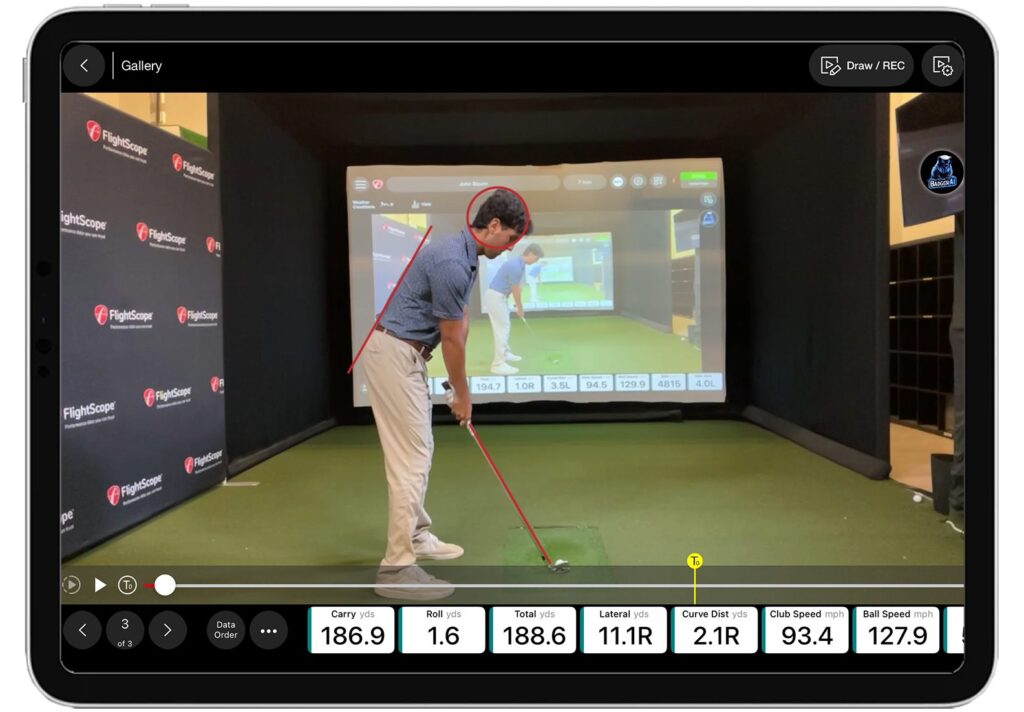
There is a camera built into the unit. The FS Golf app automatically records and clips every swing, with a shot tracer and your data overlaid on the video. You can also use your phone’s camera, or FlightScope’s FS Multicam app for more than one angle. It is a simple way to see what your swing looked like on the shot that went sideways.
For simulator play, E6 Connect runs on iOS and Windows, Awesome Golf on Windows and iOS, and GSPro on Windows.
At the range, in the yard, in the bag
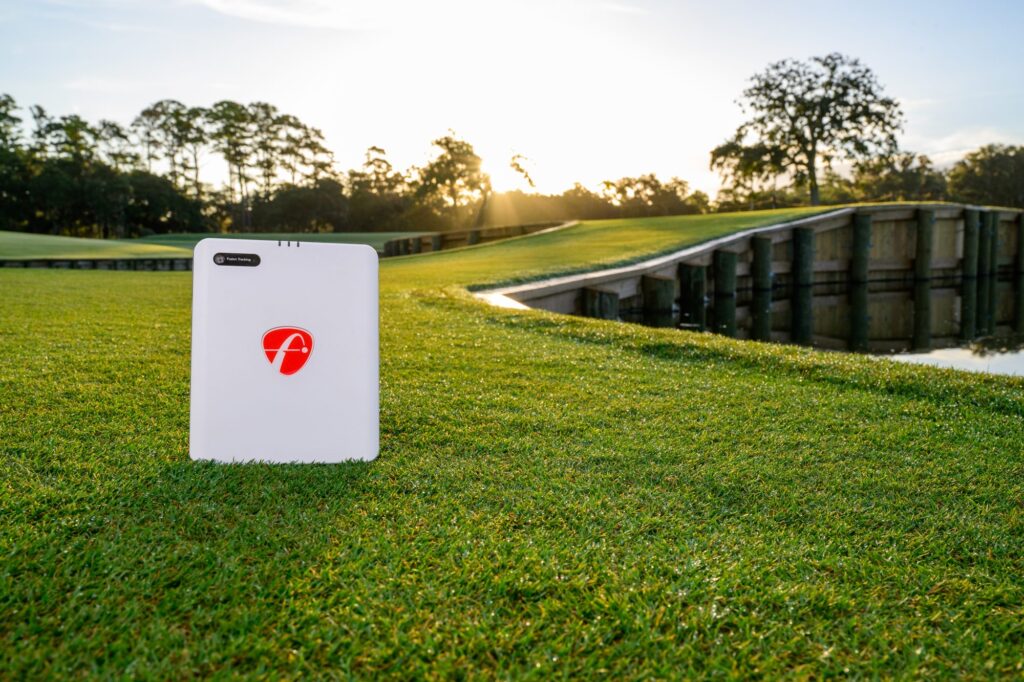
It is small and light: about 6.9 by 5.6 inches, 1.2 inches thick and 1.1 lb, with a carry case. The battery runs up to six hours and charges by USB-C. Bring it to the range in spring and you will know your real carry numbers before your first round.
The smart first simulator launch monitor
Simulators are expensive. Screen, enclosure, hitting mat, projector and a PC add up, and many people overspend on the launch monitor before they know how much they will use the bay. The Mevo Gen2 lets you build the room, play all winter and find out what you actually care about: course play, practice data or entertaining friends.
If you later move up to an overhead unit like a Uneekor or a Trackman, the Mevo Gen2 does not go in a drawer. It becomes your range and travel unit, and your upgrades still work on it. Not sure which type suits your room? Read overhead vs ground vs portable launch monitors.
The upgrades: why we recommend them
The base Mevo Gen2 tells you what the ball did. The two optional upgrades tell you why. They are software unlocks, so nothing new arrives in a box, and like the unit itself each one is a one-time purchase with no subscription. You can add them when you buy the Mevo Gen2 by ticking them above the Add to cart button, or add them later.
Pro Package: club data that explains your ball flight
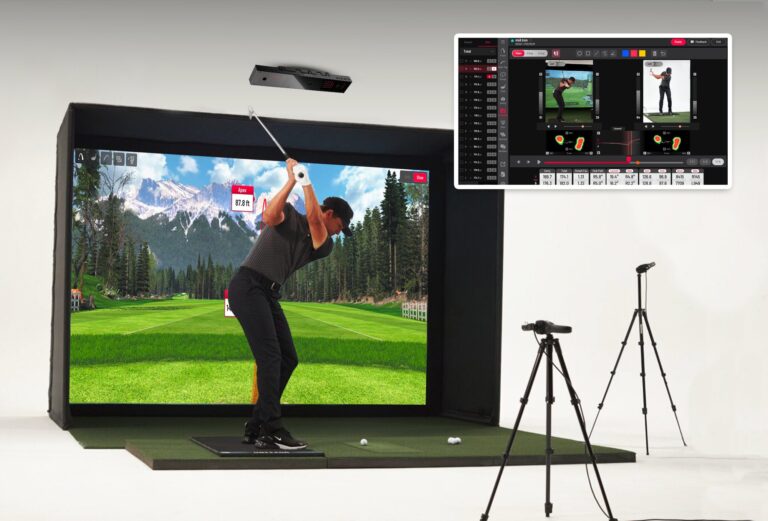
The Pro Package unlocks 11 more data parameters, including club path, face angle, vertical and horizontal swing plane, low point and the full D-plane, with 2D and 3D club animations.
Why it matters: a slice is not one problem. It is either a path problem, a face problem or both. Ball data shows you the slice. The Pro Package shows you whether your club is swinging out-to-in, whether the face is open to the path, and by how many degrees. That is the difference between guessing at a fix and knowing which one to work on. Low point tells you whether you are hitting the ground before the ball, which is the root of most fat and thin iron shots. If you take lessons, it is the same data your coach looks at.
Face Impact Location: where you are hitting the clubface
Face Impact Location shows exactly where each shot struck the clubface, and builds heat maps of your strike pattern over a session.
Why it matters: strike is the single biggest factor in distance and consistency. A driver hit a half inch toward the toe loses real distance and curves differently than a centred strike, even with the same swing speed. Seeing your strike pattern turns “I don’t know why that one was short” into a clear answer, and it is the fastest feedback loop there is for building a repeatable swing. It is also the honest way to test a new driver or set of irons: compare strikes, not just one good shot.
Both together
The combined Pro Package and Face Impact Location upgrade costs less than buying the two separately. If you are buying the Mevo Gen2 to get better, not just to play, this is the version we would buy.
| Who you are | What we recommend |
|---|---|
| Mostly social rounds and course play | Mevo Gen2 on its own |
| Want to fix a slice, hook or contact problem | Add the Pro Package |
| Chasing distance and consistency, or testing clubs | Add Face Impact Location |
| Taking lessons or practising with a plan | Both, as the combined upgrade |
Shop the Mevo Gen2 and upgrades
| Item | What it adds | Type |
|---|---|---|
| FlightScope Mevo Gen2 | The launch monitor, 20 data parameters and 8 E6 Connect courses | One-time purchase |
| Pro Package | Club path, face angle, swing plane, low point and D-plane | One-time purchase |
| Face Impact Location | Strike location and heat maps | One-time purchase |
| Pro Package and Face Impact Location | Both upgrades, for less than buying them separately | One-time purchase |
What it is not
Being honest about limits saves returns. The Mevo Gen2 needs depth: if you cannot fit about 16 feet between where the unit sits and the screen, a camera-based unit that sits beside the ball is a better fit. It needs stickers or RCT balls for accurate indoor spin. E6 Connect does not run on Android, so Android users play courses through a Windows PC. And it is a personal launch monitor, not a commercial overhead system built for a busy multi-player bay.
The short version
If you want real, measured data and a simulator that works this winter without signing up for another yearly bill, the Mevo Gen2 is the easiest recommendation in our store. Buy the unit for course play. Add the Pro Package and Face Impact Location if you want it to make you a better golfer. They are one-time costs that keep paying off every session.
Shop the FlightScope Mevo Gen2, or tell us about your room and we will tell you whether it fits.
Specifications, data parameters, setup distances and the included course list are from FlightScope’s published Mevo Gen2 product information.